When AI Labor Gets Expensive: Why Enterprises Need AI Cost Architecture Governance

Given how all the recent headlines have companies laying off tens of thousands of human workers in favor of “cheaper” AI automation, it seems impossible that the reverse is now true.

But go back a few years ago, and the AI productivity story sounded simple.

Give employees access to generative AI. Let them summarize documents faster. Then developers can write code faster. Let analysts create reports faster. Enable call center teams to draft responses faster. Then watch labor costs go down.

That was the pitch to profit-motivated, cost-conscious executives.
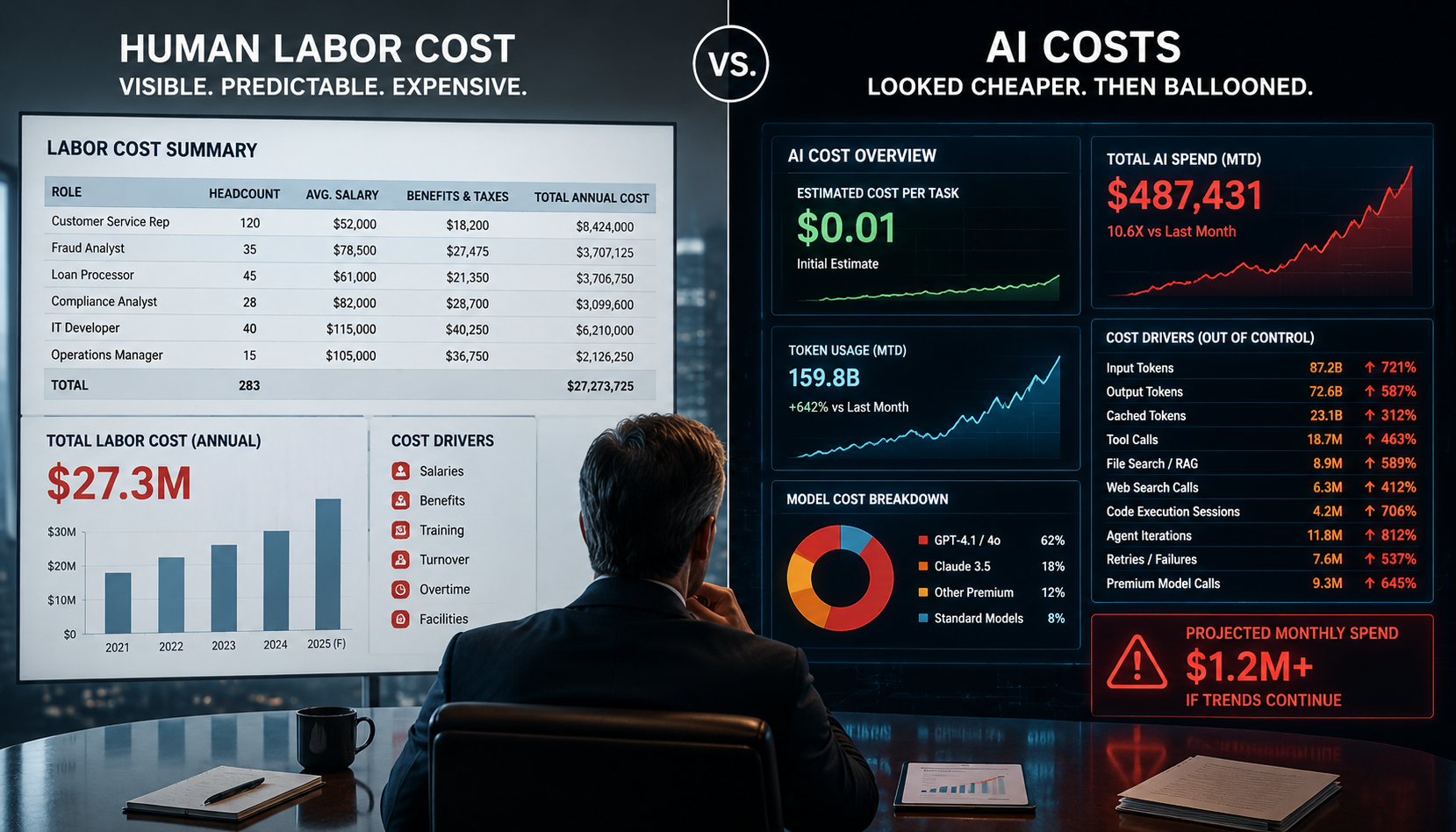
And to be fair, it was not completely wrong. A well-used AI assistant can absolutely reduce the time required to draft an email, summarize a meeting, review a document, generate test cases, explain code, or prepare a first-pass analysis. For many knowledge workers, AI is still one of the most powerful productivity tools introduced in the last twenty years.

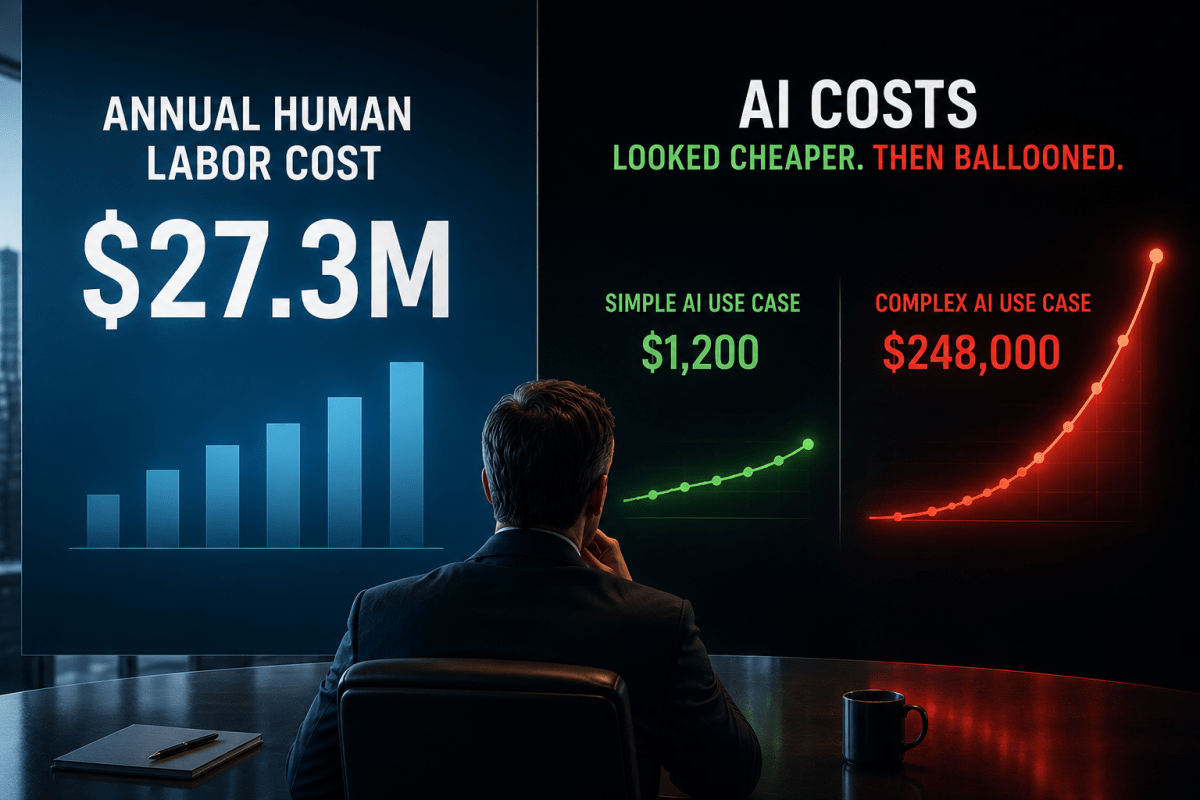
But a new problem is starting to show up inside enterprises: The AI bill is no longer invisible.

That is the uncomfortable truth behind the recent Economy Media video titled “How AI Became More Expensive Than The Workers It Replaced,” which discusses the idea of “token maxing.” The exact phrase may sound like internet shorthand, but the underlying issue is very real. AI does not work like traditional software licensing. It doesn’t even behave like a fixed desktop productivity tool. AI may feel like software, but economically it behaves more like metered infrastructure. Each prompt has a cost. Each agent retry adds more. Each repository scan, long conversation thread, and oversized document stuffed into a frontier model burns compute before the business ever sees the final answer.

That distinction is the whole point.

The enterprise AI question now shifts from just, “Can AI do the work?” The better question is, “Can the organization control the economics of AI doing the work?”

The Hidden Shift from Software Cost to Compute Cost

Most enterprise leaders are used to software costs that are relatively predictable. You buy a license, and then assign seats and estimate usage. Maybe you negotiate an enterprise agreement. The cost may still be painful, but at least the commercial model is familiar.

Generative AI changes that.

The unit of consumption is often the token. Tokens represent chunks of text processed by the model. Think of tokens like miles on a toll road. The AI model is the vehicle, and the text you send through it is the trip. The more text the model has to read and the more text it has to generate, the farther the trip. Tokens are the unit used to measure that distance, and the bill increases as the trip gets longer.

In the corporate context, tokens are like the billable miles of an AI conversation. Every word, phrase, document excerpt, code block, and generated response adds distance to the trip. A short prompt is a quick drive across town. A long document review is a cross-state haul. The model may still get you there quickly, but the meter is running the entire time.

Input tokens are what the model reads. Output tokens are what the model generates. Some platforms also charge for cached input, tool calls, file search, code execution, web search, storage, embeddings, vector databases, and higher-priority processing.

OpenAI’s current API pricing, for example, lists GPT-5.5 at $5 per 1 million input tokens, $0.50 per 1 million cached input tokens, and $30 per 1 million output tokens. GPT-5.5 Pro is much higher at $30 per 1 million input tokens and $180 per 1 million output tokens. OpenAI also separately prices platform tools such as web search, file search, code interpreter containers, storage, and other services.

Anthropic’s Claude pricing follows the same basic consumption logic. Its platform documentation shows token-based API pricing, and its Claude Code documentation specifically notes that coding costs vary by model selection, codebase size, and usage patterns, including multiple instances and automation. Anthropic reports that enterprise Claude Code deployments average around $13 per developer per active day and $150 to $250 per developer per month, with 90% of users staying below $30 per active day.

That may sound affordable until you scale it across thousands of employees, dozens of applications, multiple departments, heavy coding usage, large document workflows, and agentic automation.

A single AI answer can be cheap, but an unmanaged AI operating model can be quite expensive as companies like Microsoft recently learned.

What “Token Maxing” Really Means

“Token maxing” is not just employees using AI a lot. That would be too simplistic. Token maxing is what happens when AI usage becomes disconnected from business value.

Token maxing usually does not look reckless at first. In fact, it looks like an employee asking for ten versions of the same short email, a developer letting a coding agent keep chasing a failing build, or a business analyst repeatedly uploading the same 200-page policy because no one built a better retrieval path. Over time, the organization starts mistaking AI activity for AI value. Usage goes up, token consumption climbs, and teams treat the rising compute burn as evidence of productivity, even when no one has tied it back to a measurable business outcome.

Of course not.

That is like measuring cloud success by CPU consumption instead of business throughput. Nobody should celebrate a higher AWS or Azure bill unless there is a corresponding business result. The same logic applies to AI.

The danger is that token usage can feel productive. People see activity. They see drafts. They see summaries. They see code. They see responses. But underneath that activity, the enterprise may be paying for repeated reasoning, bloated prompts, long context windows, unnecessary retries, and premium models being used for low-value work.

Keep that in mind: AI cost is not just a finance issue. It is an architecture issue.

Side Note: Compute burn is the consumption of processing resources (such as GPU time, CPU time, memory, storage, and network activity) required to run a digital workload. In AI, it usually refers to the infrastructure cost created each time a model reads input, generates output, calls tools, retries tasks, or runs agentic workflows.

Is AI Actually More Expensive Than Human Labor?

The honest answer is: sometimes.

For small, bounded tasks, AI is usually much cheaper than human labor. If a person spends fifteen minutes drafting a status update and an AI model can generate a usable first draft in seconds for a fraction of a cent or a few cents, the economics are pretty obvious. The same is true for many routine summarization, classification, extraction, and translation tasks.

But enterprise AI does not stay inside neat little one-prompt examples.

Once AI becomes embedded into workflows, the cost profile changes at scale. A simple chatbot may answer with a single model call, but agentic AI changes the economics. A coding agent might move through the repository, write a fix, run the tests, fail, read the logs, adjust the code, and try again. A research agent may search, summarize, challenge its own findings, compare sources, and synthesize a final answer. In a financial services setting, a compliance assistant may need to pull policy language, transaction history, member correspondence, and regulatory guidance before it can draft a recommendation. What looks like one user request on the surface may actually be a chain of expensive AI work underneath. That’s a compute workflow.

Research on agentic coding tasks has found that these workflows can consume dramatically more tokens than simple code chat or code reasoning. One 2026 paper found that agentic coding tasks can consume 1,000 times more tokens than simpler code interactions, that token usage can vary by up to 30 times across runs of the same task, and that higher token usage does not necessarily produce higher accuracy.

That last point matters. More tokens do not automatically mean better work. Sometimes they just mean the model wandered longer.

This is where the “AI is cheaper than labor” argument starts to break down. A human developer may take longer, but the human may also stop, reason from experience, ask one clarifying question, or recognize that a path is wrong. An agent may just keep spending tokens unless the architecture tells it to stop.

The Data Center Bill Behind the Token Bill

There is also a larger infrastructure story behind this.

Tokens come across as digital and abstract, but they are backed by very physical infrastructure: GPUs, power, cooling, networking, storage, data centers, specialized chips, cloud platforms, and capital spending. McKinsey has estimated that global data center capital expenditures could reach $6.7 trillion by 2030, with $5.2 trillion tied to AI-capable data centers. That doesn’t mean every AI prompt is expensive. It means the industry is building enormous infrastructure capacity to satisfy demand that is still economically unstable.

Someone has to pay for that infrastructure.

The infrastructure cost does not disappear just because it is hard to see. In some cases, the AI vendor carries it. In others, the cloud provider absorbs part of it or investors subsidize the growth curve. Eventually, though, the economics surface somewhere: in API usage fees, higher subscription prices, throttling, premium tiers, or new usage-based billing models.

The important point for enterprise architects is that AI is not mystical, mysterious labor floating in the cloud. It is a compute-intensive service running on expensive infrastructure. If the enterprise doesn’t govern it, the cost will show up somewhere.

Now bring this into financial services.

The Financial Services Problem

A bank or credit union cannot treat enterprise AI like a casual productivity experiment once it touches lending, fraud, servicing, payments, collections, disputes, regulatory compliance, cybersecurity, financial advice, or member communications. The risk profile notably changes.

The risk depends on where AI sits in the business process. An assistant cleaning up an internal meeting note is one thing. An assistant shaping how a member understands a loan, fee, dispute, fraud claim, account restriction, or payment exception is something else entirely. Once an AI agent can reach into systems, retrieve sensitive data, call APIs, or recommend operational decisions, the institution is no longer dealing with a simple productivity tool. It has placed cost, data, model, operational, compliance, and audit risk into the same workflow.

Financial regulators already expect institutions to manage technology architecture, infrastructure, and operations through sound governance. The FFIEC Architecture, Infrastructure, and Operations booklet describes examiner expectations around risk management processes for the design, implementation, and operation of technology architecture and infrastructure in financial institutions. That applies directly to AI.

NIST’s Generative AI Profile also frames generative AI risk management as a lifecycle concern, not a one-time approval event. It’s intended to help organizations identify generative AI risks and align risk management actions with their goals and priorities.

Model risk guidance is also evolving. In April 2026, the OCC announced updated model risk management guidance relevant to larger banking organizations and institutions with significant model risk exposure. Importantly, the OCC noted that generative AI and agentic AI models are novel and rapidly evolving and are not within the scope of that specific guidance. As a result, this creates an important gap.

Traditional model risk governance still matters, but it does not fully cover the way generative AI and agentic AI are entering regulated workflows. These tools may not make the final decision, yet they can still shape the work around that decision. They may not approve the loan, but they may draft the explanation. They may not file the suspicious activity report, but they may summarize the case. They may not release the payment, but they may recommend the next operational step.

That’s the gap financial institutions need to close with AI cost architecture governance, which alludes to AI cost architecture governance beyond the typical AI governance (or model governance, cloud cost management).

AI Cost Must Become a Non-Functional Requirement

Enterprise architects are already used to non-functional requirements. We ask about availability, scalability, performance, security, recoverability, observability, compliance, latency, data retention, and supportability.

AI cost now belongs in that same conversation. For every meaningful AI use case, the architecture review should ask:

What is the expected AI cost per business outcome?

Monthly spend and user counts only tell part of the story. The more useful measure is cost per outcome: the cost to resolve a servicing case, triage a fraud alert, summarize a loan document, complete an after-call summary, review a regulatory policy, accept a code change, or analyze a payment exception. That is the number that shows whether AI is creating measurable value or simply increasing activity.

An AI solution that costs $50,000 per month may be a bargain if it eliminates $500,000 of manual effort and improves quality. Another solution that costs $5,000 per month may be wasteful if it generates low-value drafts nobody uses.

The architecture discipline is to connect token consumption to business value.

The New Governance Pattern: AI Use Case Intake

Financial institutions need formal AI use case intake before production usage scales.

This does not mean every employee prompt needs an architecture review. That would be absurd. But any AI capability embedded into a business process, enterprise application, operational workflow, member-facing experience, engineering pipeline, or regulated decision support process should go through intake.

The intake should capture enough context to make the AI use case governable. The business owner explains why the capability is needed and who benefits from it. The technology owner is accountable for how it is built, integrated, supported, and changed over time. The data owner confirms what information the AI can access and whether that access is appropriate. The user population matters because a tool used by five analysts has a different exposure profile than one used by 5,000 branch or contact-center employees.

The intake should also describe the business process being affected, because AI risk depends heavily on where the tool sits in the workflow. Risk tier and data classification help determine the level of review, control, and monitoring required. Model selection matters because different models carry different cost, performance, privacy, and reliability tradeoffs. Expected volume, token consumption, monthly cost, and cost per transaction help the institution understand whether the economics make sense before usage scales.

Finally, the intake should identify whether human review is required, how prompts and outputs will be logged, what fallback process exists if the AI fails, and which vendors or third-party platforms are involved. Without that information, the organization may approve an AI use case that works in a demo but is difficult to govern, audit, control, or afford in production.

That intake should also classify the use case.

An internal summarization assistant is different from a fraud investigation assistant. A coding assistant is different from a loan servicing copilot. A policy research tool is different from a member-facing financial guidance bot. A chatbot that answers HR questions is different from an agent that can call payment APIs.

The governance mistake is treating all AI usage as the same category. It is not.

Model Routing Is Architecture, Not Optimization

One of the fastest ways to waste AI spend is to send everything to the most expensive model.

That may be fine during experimentation, but it is not a production architecture.

A mature financial institution should route work by task complexity and risk. Routine classification can go to a smaller model. Simple summarization can use a mid-tier model. Sensitive member-facing explanations may require a stronger model plus approved retrieval and human review. Complex architecture analysis may justify a frontier reasoning model. Autonomous agent workflows may require a restricted model set, iteration limits, tool limits, and stronger observability.

The principle is simple: use the cheapest model that can safely and reliably perform the task.

That is not anti-AI. That is basic engineering economics.

No architect would recommend running every workload on the largest compute instance available. No cloud architect would approve premium storage for every data set by default. No network architect would route every workload through the most expensive path without a reason.

AI should follow the same discipline.

Token Budgets Need to Be Designed Into the Platform

Token budgets should not be managed through after-the-fact spreadsheet reviews.

They need to be designed into the AI platform.

A financial institution should define AI limits at the levels where cost and risk actually show up. Enterprise-level limits protect the overall technology budget. Line-of-business limits make each business area accountable for its own AI consumption. Application and use-case limits keep a single solution from exceeding its approved purpose or budget. User-group limits recognize that a small expert team and a large contact-center population will create very different usage patterns. Agent-workflow limits are especially important because one instruction can trigger many model calls, tool calls, retries, and intermediate steps. Individual request limits prevent one oversized prompt or runaway task from consuming resources out of proportion to its value.

The platform also needs technical ceilings that can be enforced at runtime. Maximum input tokens control how much text the model can read. Maximum output tokens control how much it can generate. Context-length limits prevent teams from dragging unnecessary history, documents, or logs into every request. Tool-call and agent-iteration limits stop workflows from looping through expensive steps. Runtime limits keep tasks from running longer than intended. Cost-per-workflow limits connect each AI run to an economic boundary, while daily and monthly spend limits prevent small overages from turning into a material budget problem.

This is especially important for agentic AI.

A chatbot may be annoying when it gives a bad answer. An agent can be expensive while giving a bad answer. It can search too broadly, call tools unnecessarily, retry the same failing task, generate excessive intermediate output, or spin through a workflow that should have stopped five steps earlier.

Agentic AI needs a budget, a leash, and a kill switch.

That may sound harsh, but in financial services it is just responsible architecture to keep the lights on within budget limits.

Another major source of AI waste is poor context design.

Retrieval Beats Brute Force Context

One of the easiest ways to waste AI spend is to give the model far more context than it needs. It happens innocently enough. A user pastes an entire policy, contract, procedure, call transcript, log file, or code file into a prompt because that feels like the fastest path to an answer. Developers often do the same thing in early prototypes. The model gets a massive context window, the demo looks impressive, and everyone celebrates that the AI can “read everything.”

But reading everything is not the same as understanding what matters.

A better architecture is more selective. It retrieves only the smallest approved slice of context needed to answer the question, using governed retrieval, source-level access controls, clean chunking, useful metadata, freshness rules, data minimization, sensitive-data filtering, and clear citations back to the source. That approach reduces token cost because the model processes less unnecessary text. It also reduces risk because sensitive information is not sprayed into the AI workflow just because it happened to be nearby.

That matters even more in financial services. Banks and credit unions handle nonpublic personal information, transaction records, account data, credit information, fraud notes, identity data, and internal control documentation. When too much of that context is pushed into an AI model, the institution increases both compute cost and data exposure.

The design pattern should not be “give the model everything,” but instead “give the model the right thing.”

AI FinOps Has to Evolve Beyond Cloud FinOps

Most enterprises already have some muscle memory around Cloud FinOps. They know how to look at cloud spend, reserved capacity, utilization, tagging, showback, chargeback, and optimization. That discipline still matters, but AI introduces a different kind of consumption problem. The cost is no longer tied only to infrastructure running in the background. It is also tied to how often models are called, how much context they process, how much they generate, and how many steps an AI workflow takes before it produces something useful.

That is why AI FinOps has to extend the cloud cost conversation into model consumption.

The organization needs to understand which models are being used, how much input and output they are processing, how often cached context is being reused, and when tools such as file search, web search, code execution, embeddings, vector databases, retries, and agent loops are driving up the bill. But the reporting cannot stop there. The more important question is how that usage maps back to real users, departments, applications, and business outcomes.

A dashboard that only shows total AI spend is useful, but incomplete. It may tell leaders that the bill is going up, but it does not tell them whether the spend is justified. A better dashboard shows where AI is creating measurable value and where the organization is simply burning compute.

A contact-center copilot may look expensive until leadership sees that it reduces after-call work, improves consistency, shortens handle time, and lowers escalation volume. A coding agent may look inexpensive until the data shows it generates plenty of pull requests but very few accepted changes. A compliance assistant may appear productive until audit discovers that employees are running the same prompts over and over instead of using approved reusable workflows.

That is the real purpose of AI FinOps. It should not exist to punish employees for using AI. It should help the enterprise use AI with economic intelligence.

Governance Should Productize Repeated Work

One of the biggest AI cost opportunities is also one of the easiest to miss.

When hundreds or thousands of employees keep asking AI the same kind of question, the organization should stop treating those questions as isolated prompts. At that point, the repeated behavior is telling architecture something important. It is a candidate for a reusable enterprise capability.

That might be a policy interpretation pattern, a servicing script, a compliance summary, a code review prompt, a document analysis workflow, or a knowledge assistant built around a controlled source of truth. The specific use case will vary, but the architectural lesson is the same: repeated AI work should be productized.

Otherwise, every employee ends up asking the AI to interpret the same policy. Every analyst uploads the same procedure. Every developer invents a slightly different version of the same prompt. Every business team builds its own assistant over similar knowledge. The company pays for the same reasoning again and again, while also increasing the chance of inconsistent answers.

A better approach is to turn common patterns into approved prompt templates, reusable workflows, shared retrieval indexes, department-specific copilots, precomputed summaries, approved answer libraries, and governed AI skills. This is where architecture governance can reduce cost and improve quality at the same time. Employees get more consistent results, and the organization stops paying for duplicated computation.

That is a win on both sides of the ledger.

Human-in-the-Loop Is Also a Cost Control

Human review is usually described as a risk control, and that is true. But it is also a cost control.

A person can stop an AI workflow that is clearly going nowhere. A fraud analyst can reject a weak recommendation before more time is wasted. A developer can recognize that an agent is attacking the wrong problem. A compliance reviewer can identify when a generated memo is too speculative. A call-center supervisor can tell when an answer should be shorter, clearer, and more direct instead of longer and more expensive.

The key is to apply human review based on the risk of the work.

Low-risk productivity tasks should not be buried under unnecessary approval. A meeting summary does not need a governance committee. But AI-generated member-facing language, fraud recommendations, payment exception analysis, lending support, collections scripts, and account restriction recommendations require stronger oversight. Those workflows sit closer to regulated decisions, customer impact, financial exposure, and operational risk.

In financial services, the most dangerous pattern is not AI helping humans. The dangerous pattern is AI quietly becoming the human without the institution admitting it.

Runtime Enforcement Matters More Than Policy Documents

Policies are necessary, but they’re not enough. If the enterprise says employees cannot use unapproved models, but people can still paste sensitive data into any AI tool, the policy is mostly theater. If the AI standard says token limits are required, but the application has no enforcement mechanism, the standard is only a suggestion. If the architecture review says human approval is required, but the workflow can still call write APIs directly, the control is weaker than it looks.

AI governance has to move into runtime enforcement.

That is where AI gateways, API policies, model allowlists, model denylists, token ceilings, per-user quotas, per-application quotas, sensitive-data detection, prompt filtering, tool-access controls, logging, budget alerts, automatic throttling, and kill switches become important. The objective of all this is to make the approved behavior the easiest and safest behavior.

A central AI gateway can become one of the most important control points in the enterprise AI architecture. It can enforce model routing, capture telemetry, apply cost limits, integrate with identity, inspect prompts for sensitive data, log model versions, and provide the evidence needed for audit and operational review.

The Architecture Review Board Has a New Job

The Architecture Review Board still needs to ask the familiar questions. Is the solution secure? Is it resilient? Does it align to standards? Does it fit the enterprise architecture? Can it be supported?

But for AI, that is no longer enough.

The ARB also needs to ask whether the solution is economically bounded. What is the expected monthly cost? What is the cost per business transaction? What happens if adoption is ten times higher than expected? What happens if an agent loops? What happens if users keep uploading large documents instead of using retrieval? What model-routing logic prevents premium models from being used for routine work? What telemetry proves that the AI is producing business value instead of just generating activity?

Those questions may feel new, but they are a natural extension of architecture governance. AI cost is now part of solution design.

The Bottom Line

AI has not universally become more expensive than human labor. That claim is too broad.

For many tasks, AI is still dramatically cheaper than manual work. But enterprises should not take comfort in that general statement. AI can become more expensive than expected when organizations confuse AI activity with AI value. Token maxing, long-context abuse, agent loops, premium-model defaulting, repeated prompts, poor retrieval design, and weak FinOps can turn AI into an unmanaged compute bill.

Financial institutions should pay especially close attention because they operate in regulated, risk-sensitive, audit-heavy environments. A bank or credit union cannot afford AI systems that are opaque, economically uncontrolled, poorly logged, loosely governed, or casually connected to sensitive workflows.

The next phase of enterprise AI will not be won by the organizations that simply use AI everywhere. It will be won by the organizations that know where AI behaves like cheap labor, where it behaves like expensive compute, and where it is too risky to run without human control. That’s the real architecture challenge.

AI does not need governance because it is bad. It needs governance because it is powerful, scalable, easy to overuse, and expensive when nobody is watching.

The companies that understand that will build AI into their operating model with discipline. The companies that don’t will eventually discover that their productivity revolution came with a data center invoice attached (and data centers are a whole other topic that deserves its own series).

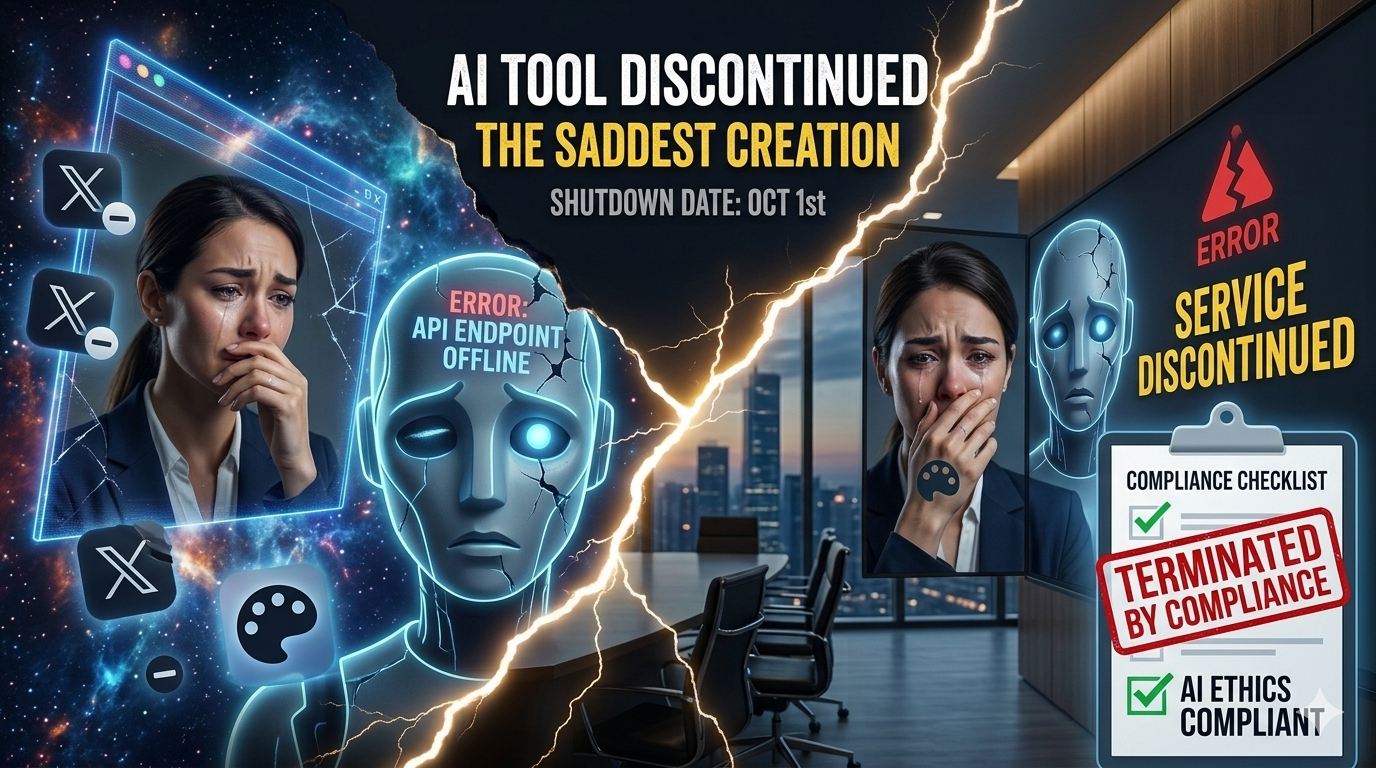
Why OpenAI Is Killing Sora and What It Really Says About the AI Market

Is the energy crisis stemming from the Middle East conflict causing problems for AI infrastructure needs?

Read this on our Medium page!

For some time, Sora stood as one of OpenAI’s most visible bets on AI-generated video. It was attached to ChatGPT plans, expanded with editing tools, and positioned as a sign that generative AI was moving beyond text and images into richer media workflows. Now that story has changed. OpenAI says the Sora web and app experiences will be discontinued on April 26, 2026, and the Sora API will be discontinued on September 24, 2026. Users are being told to export their content before the shutdown dates.

That’s the hard fact. The harder question is exactly what it means for the Sora fanbase. Sora’s Shutdown isn’t proof the AI boom is over. But it does mark a more ruthless phase.

The first thing to understand is that Sora was never fully a simple “ChatGPT feature” in the way many people casually described it. OpenAI’s own documentation shows that Sora had its own billing FAQ, its own access rules, its own usage limits, and its own product-specific creation workflow. Free, Enterprise, and Edu accounts are currently not eligible for Sora access, while Plus, Pro, and Business accounts have had access under different limits. OpenAI says Plus and Business users can generate up to 480p videos up to 10 seconds long with one concurrent generation, while Pro users get up to 1080p, up to 20 seconds, up to five concurrent generations, faster generations, and no watermark downloads.

That matters because it shows Sora was always operating as something adjacent to ChatGPT, not fully absorbed into its core everyday experience.

At the same time, OpenAI had not simply left Sora untouched. Its release notes describe an editor on web and iOS with frame-level trimming, clip stitching, reordering, extending clips, reprompting segments, and remixing generated videos. OpenAI also says that in the United States, Sora 1 was removed on March 13, 2026, and Sora now opens in Sora 2 by default. That means the company was still evolving the product even as it was moving toward discontinuation. Hopefully you’re keeping up with all this.

That unusual combination has created room for a more dramatic narrative: that Sora is being shut down because energy shocks and supply-chain strain tied to the current Middle East conflict are exposing the weakness of the AI business model, and that this is evidence the AI bubble is about to burst.

There is a plausible macroeconomic concern buried inside that argument, but the leap from “stress exists” to “this directly killed Sora” is not supported by the evidence I’ve looked at.

OpenAI’s official discontinuation notice doesn’t cite war, supply-chain disruption, or even energy shortages as the reason for shutting Sora down. It provides dates and user guidance, but no such causal explanation.

The most direct reporting I found points elsewhere. The Verge reports that OpenAI shut down Sora and related ChatGPT video features because of high computational costs, lack of profitability, declining adoption, and rising competition, while the company refocused on other priorities. That is a far more grounded explanation than the claim that one geopolitical crisis alone brought the product down.

Still, the broader geopolitical angle should not be dismissed entirely. It is reasonable to argue that any compute-heavy AI product becomes harder to justify when infrastructure costs are under pressure, whether from energy volatility, cooling demands, semiconductor bottlenecks, or fragile supply chains. That is not the same as proving a direct causal link to Sora’s shutdown. It is better understood as a stress multiplier. In other words, if a product already has weak economics, external shocks make that weakness harder to hide.

That distinction matters because it leads to a better interpretation of what Sora’s shutdown actually signals.

This does not look like proof that the entire AI economy is collapsing. It looks more like a sign that the AI market is entering a harsher phase of discipline. During the hype phase, companies could justify expensive AI offerings largely on novelty, momentum, and investor excitement. In a more mature phase, those same products start getting judged by tougher questions. How much does each use actually cost? Is demand sticky or just curiosity-driven? Can the product be governed safely at scale? Does it fit the company’s strategic center of gravity?

Sora appears to have run into those questions all at once.

That is especially important in AI video, one of the most compute-intensive and moderation-sensitive categories in the market. A product can be technically impressive and still fail the portfolio test. That is the larger lesson here. Not every eye-catching generative AI capability turns into a durable business. Some become expensive experiments that no longer make sense once markets, executives, and investors start demanding stronger unit logic.

For enterprise buyers, there is another lesson. Just because a capability appears under the umbrella of a major platform like ChatGPT does not mean it has the permanence of the core platform itself. The Sora case shows how an adjacent product can benefit from platform branding and subscription bundling while still remaining strategically provisional.

So what is the right conclusion?

Not that AI is over.

Not even that the current Middle East conflict has been proven to be the direct cause of Sora’s discontinuation.

But yes, Sora’s shutdown does support a narrower and more credible conclusion: AI is moving into a period where spectacle is no longer enough. Products will increasingly be judged on economics, operational fit, governance burden, and strategic value. Sora’s retreat is not the beginning of the tech apocalypse for the whole AI market. It’s a blunt, perhaps stunning reminder that once the demo phase ends, even the most exciting AI products have to square up with cost, competition, and corporate prioritization.

Agile 2026: Why Enterprises Need an Agentic Delivery Manifesto

This is one of the most interesting implications of AI. I remember when the debate about the length of sprints was centered around 14 days vs 30 days vs 90 days. Then it went to 14 days vs 7 days. In some cases, the one-day sprint idea started rearing its head. The 2-week sprint won the debate and became a mainstay for years. Some engineering and UI/UX sprints went to 1-week sprints and is still a thing today.

And then came AI, throwing a major curve on the debate anew…

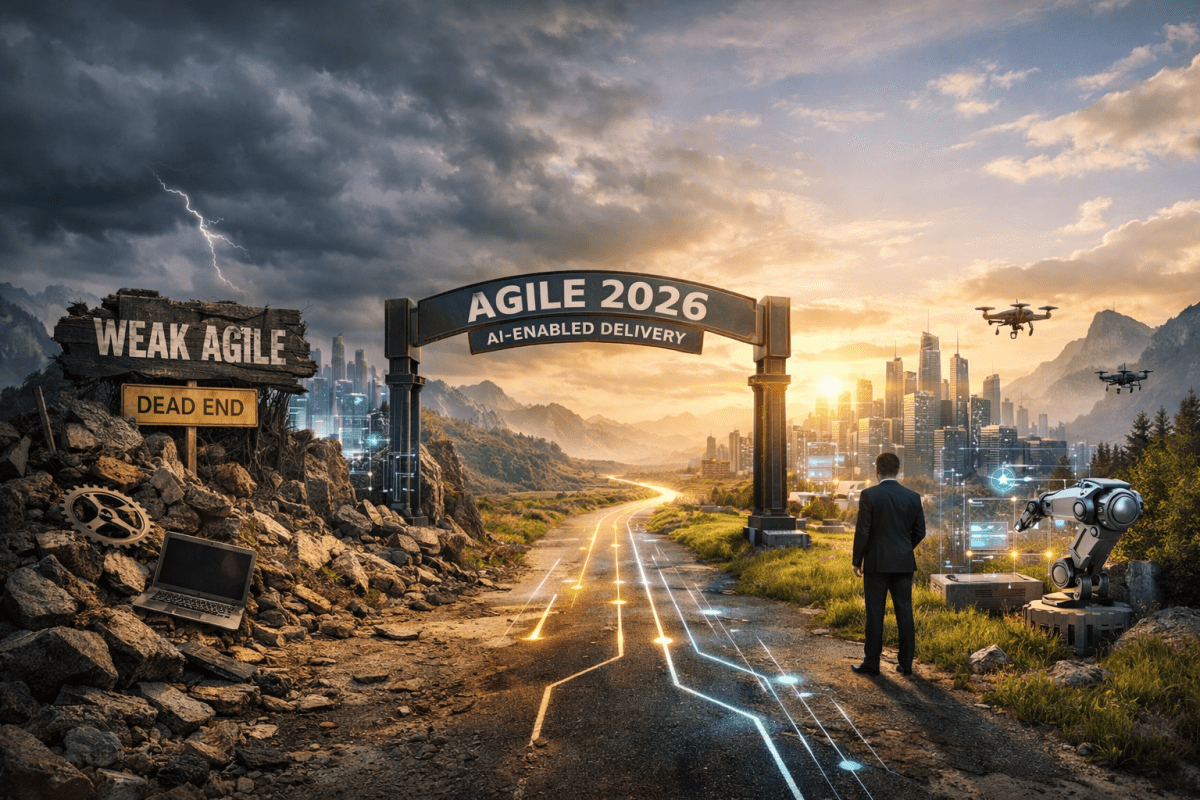
AGILE 2026: AI DID NOT MAKE AGILE OBSOLETE — IT MADE WEAK AGILE MORE DANGEROUS

For years, people have predicted the death of Agile. I’ve been an agile practitioner since the 2001 Agile manifesto and remember the death predictions started cropping up about 8 to 10 years later. That seemed quicker than the death of mainframe coding, which is still a thing. So when industry people began to blow off Agile as a passing fad, their musings caught my attention.

Some said Agile became too ceremonial.
Some said Scrum rituals became bloated.
Some said enterprise Agile was already drifting into theater long before AI arrived.

Now the rise of AI coding agents, copilots, and agentic SDLC tools has given that old argument a new form:

Is Agile now obsolete?
Did AI kill the Agile Manifesto?
If agents can compress delivery into hours, is a two-week sprint now too long?
Is even a one-week sprint too slow for some categories of work?

Those are fair questions. My answer is a hard no, AI did not kill Agile. But AI did expose how fragile many Agile implementations already were. That is the more accurate enterprise diagnosis.

The Original Agile Manifesto Is Not Obsolete

The original Agile Manifesto still expresses durable truths about software delivery.

Feedback still matters.
Customer collaboration still matters.
Responding to change still matters.
Working software still matters.

Given all of that, one has to ask, “what exactly changed?” Certainly, those principles didn’t suddenly become false because AI agents can generate code faster. What changed is the environment in which those principles operate.

AI has compressed the time between idea and executable output. But it hasn’t eliminated the constant, never-ending, crticial need for quality, verification, architecture, governance, or human accountability. As such, that means the original Agile Manifesto is not obsolete. However, many pre-AI interpretations of Agile are insufficient.

AI Has Compressed Delivery — Not Eliminated the Need for Control

AI agents may indeed speed up the delivery of something that looks elegant, executable, and even impressive in a demo. But apparent executability is not the same as verified quality. That is the key mistake many organizations are about to make.

In enterprise environments, software still has to be checked for:

correctness

architecture alignment

security posture

dependency quality

operational supportability

observability

performance under realistic conditions

compliance with business and technical standards

In other words, AI can compress delivery time, but it does not remove the need for a quality-based process and human-led checks and balances.

That’s why I don’t see AI as the death of Agile. I see it more as the reason Agile has to mature.

My Practical View: I Still Use Agile With Advanced AI

This is also where the conversation needs more nuance. I still use Agile methods with advanced AI in enterprise solution architecture work every day. No kidding. AI has made me faster and more productive, able to perform multiple roles (product owner, business analyst, API engineer, in addition to my default Architect role) when an organization’s adoption of modern agile methods is immature. It helps compress the path from business-friendly product backlog items to engineering-ready sprint backlog work. It helps accelerate framing, analysis, refinement, and translation.

But I still rely heavily on an adjusted Agile approach for the new AI realities.

Why?

Because speed does not remove the need to shape the work correctly.

The backlog still has to be clarified.
The acceptance criteria still have to be tightened.
The architecture still has to constrain the solution.
The quality model still has to verify what AI helped produce.
The human decision-makers still have to own the outcome.

So the real story shifts away from the notion that Agile is dead. The real story is that Agile is still useful, but it now needs stronger enterprise-grade adjustment.

Is the Sprint Too Long Now?

This is one of the most interesting implications of AI. I remember when the debate about the length of sprints was centered around 14 days vs 30 days vs 90 days. Then it went to 14 days vs 7 days. In some cases, the one-day sprint idea started rearing its head. The 2-week sprint won the debate and became a mainstay for years. Some engineering and UI/UX sprints went to 1-week sprints and is still a thing today.

And then came AI, throwing a major curve on the debate anew…

If coding agents can compress some tasks dramatically, then yes, for certain categories of work, a two-week sprint may now be too long as the main planning and feedback unit. Not necessarily because Agile is wrong, but because AI changes execution speed.

For example, AI may allow teams to complete some activities much faster:

initial code scaffolding

test creation

requirements decomposition

API draft generation

documentation drafting

architecture option analysis

refactoring suggestions

That means enterprises may need to rethink fundamental sprint mechanics. The sprint may still remain useful as a governance and prioritization cadence. But inside that sprint, the actual build-feedback-verify loop may become much shorter.

So the future may not automatically be “no Agile.” Yet it may be layered Agile:

  • A sprint cadence for planning, governance, and alignment
  • Much shorter micro-cycles for AI-assisted build, review, and verification work

That is a more realistic enterprise answer than simply declaring the sprint obsolete.

What Actually Breaks in Weak Agile

What AI really exposes is that weak, immature Agile habits do not scale safely at machine speed.

If teams are under-documenting, AI amplifies ambiguity.
If teams are under-architecting, AI amplifies inconsistency.
If teams are using demos as proof of readiness, AI amplifies false confidence.
If teams have weak quality gates, AI amplifies risk.

That is why the problem is not Agile itself. At the core, the essence of the problem is casual Agile, slogan-based Agile, and control-light Agile. That is what becomes dangerous in the agentic era.

What Must Be Added

This is why enterprises need an updated delivery philosophy. Not one that abandons agility, but one that strengthens it. That means adding stronger emphasis on:

  • Architecture-guided generation
  • Documentation as a control surface
  • Verified outcomes over plausible outputs
  • Human accountability for risk and release
  • Quality-based checks and balances
  • Policy-driven governance that scales with AI speed

This is exactly why I’d preserve the original Agile Manifesto historically, but extend it operationally. I would call that extension (drum roll please…):

Agile 2026: The Agentic Delivery Manifesto

Its purpose would not be to replace Agile’s spirit as it is well established and settled. Instead, its purpose would be to keep Agile relevant and reliable under AI-compressed delivery conditions. A concise four-value form would be:

  • Accountable human judgment over unmanaged agent autonomy
  • Verified systems over apparently working software
  • Architectural clarity over high-speed improvisation
  • Adaptive delivery within explicit guardrails over informal agility

Conclusion

Many have predicted the death of Agile for years. Can AI settle that debate by making Agile irrelevant? Of course not. AI made the debate more precise, which is what architects and engineers need.

The issue is beyond whether Agile is fast enough. The issue is whether Agile is governed enough for machine-speed delivery. My answer is straightforward:

I still use Agile.
I use AI heavily.
And AI has made me faster, more resilient under added team role loads.

But the Agile approach I use today is adjusted for new realities:


faster execution, stricter verification, stronger architecture boundaries, and clearer human-led checks and balances. So no, Agile is not obsolete. But weak Agile is. And that is exactly why enterprises need Agile 2026.

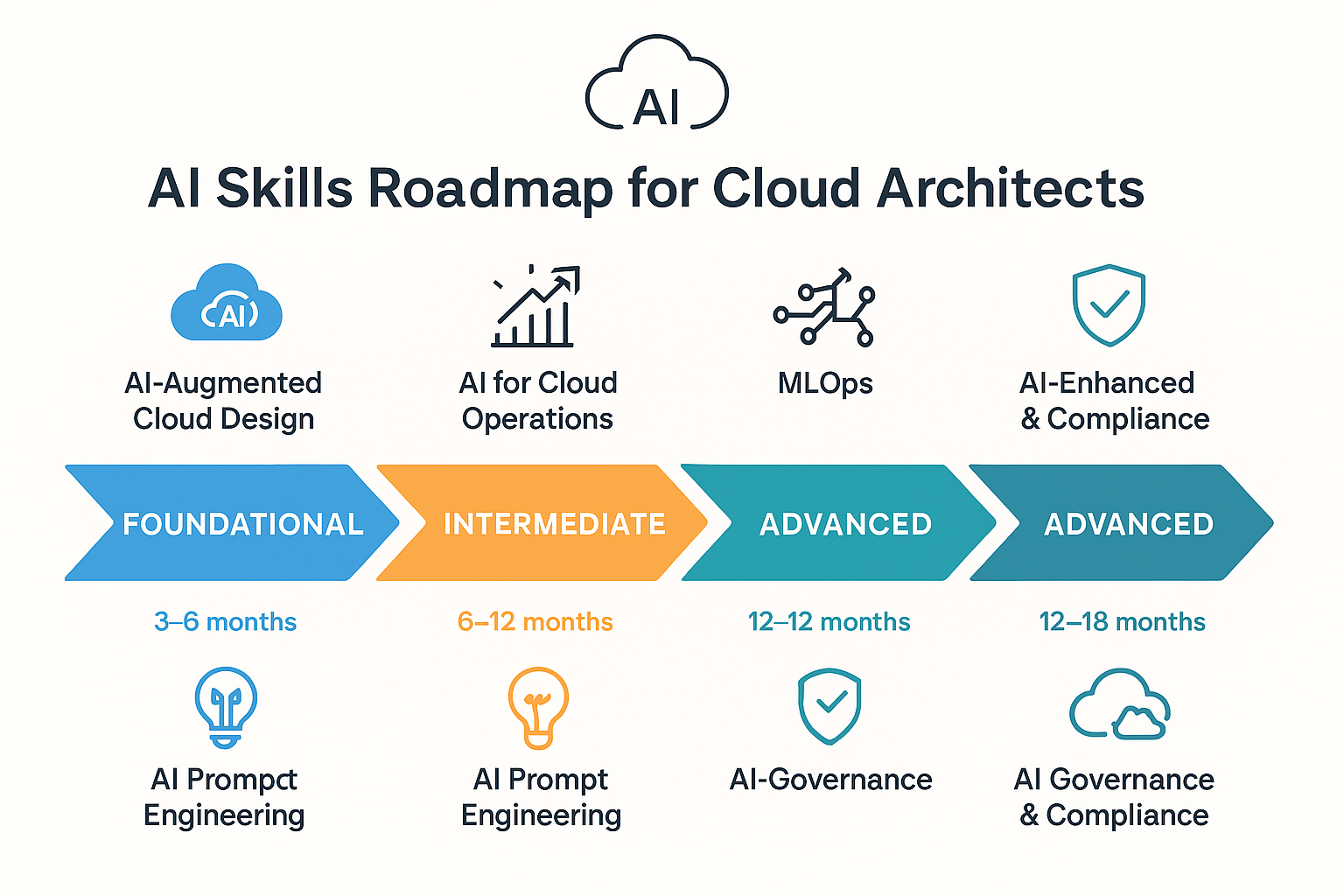
Will AI Replace Human Cloud Architects?

The answer is not as simple as you think. Here’s why…

Are Cloud Architects (and Java Developers) Becoming Obsolete?

  • Not Obsolete, but Transformed:
    AI is not eliminating Cloud Architect roles. In actuality, it is reshaping them. Cloud environments are becoming more automated (for example, AI-driven scaling, self-healing infrastructure, generative code for IaC templates), which reduces the need for manual provisioning and repetitive design tasks. Manual and repetitive are the key words here.
    However, strategic architecture decisions, governance, compliance, cost optimization, and cross-platform integration remain highly driven by the human touch. AI can accelerate work but doesn’t replace judgment, negotiation with stakeholders, or the ability to align architectures with business outcomes. This is especially true in highly regulated industries like healthcare, energy, utilities, airlines and banking, among others.
  • Java Developers Parallel:
    Traditional Java coding for boilerplate and CRUD apps is declining because AI can generate much of that instantly. But senior Java developers who understand enterprise systems, microservices, APIs, security, and performance optimization are still in demand. Similarly, Cloud Architects who only “provision VMs and configure networks” risk automation replacing them. However, those architects who understand patterns, frameworks, governance, and ROI alignment remain indispensable.

I pivoted my own enterprise solution architect career along this line of thinking years ago, always evolving and upskilling to work with AI and digital enterprise architectures, not against them.

From Cloud Engineer to AI-Enabled Solution Strategist: Turning AI-in-Cloud Into Business Value

Introduction

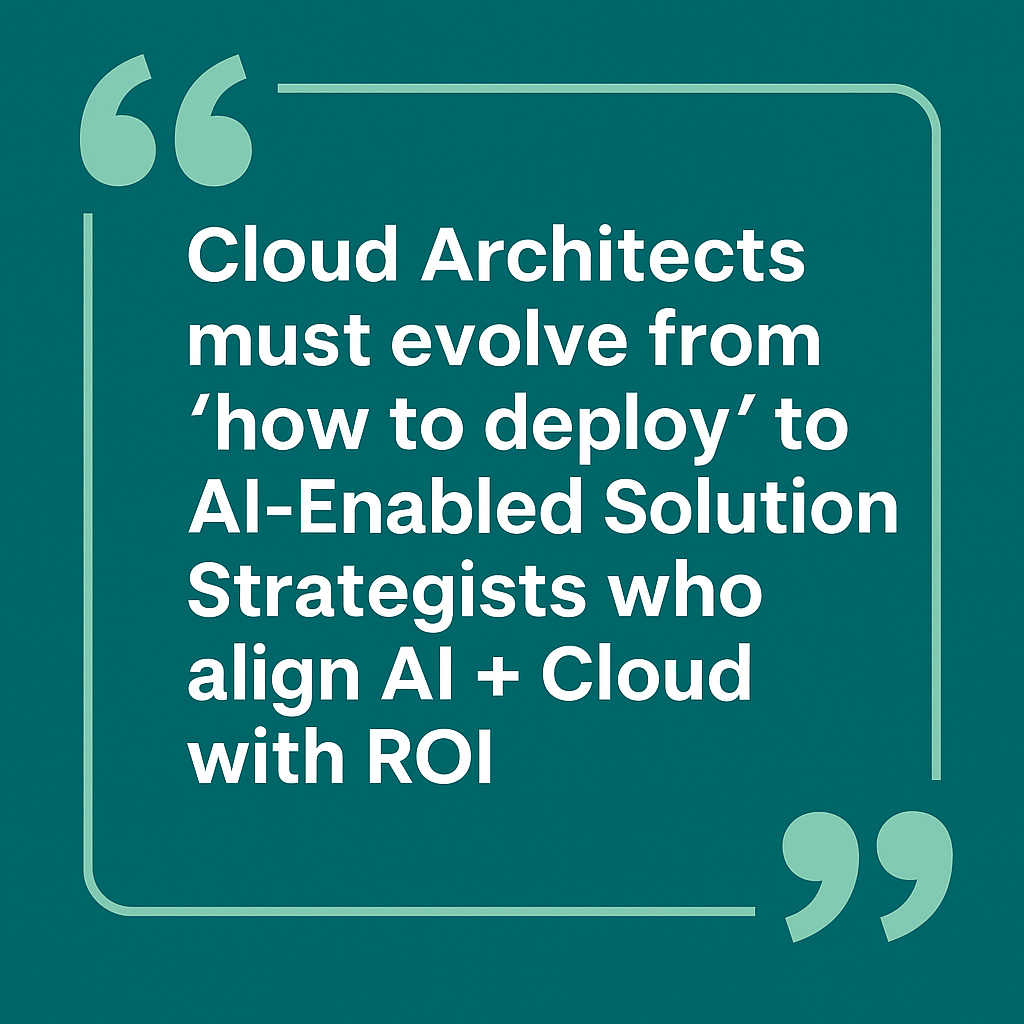
The role of the Cloud Architect is evolving. It’s no longer enough to simply deploy infrastructure or optimize virtual machines. In today’s digital enterprise landscape, where artificial intelligence is reshaping industries, the next frontier is clear: transitioning from a “Cloud Engineer mindset” (how to deploy) to an “AI-Enabled Solution Strategist” (how to align AI + Cloud with measurable business value).

This post explores how cloud professionals can make this shift, avoid pitfalls like AI Shadow IT, and showcase AI-in-Cloud reference architectures as thought-leadership assets.


🛑 Avoiding “AI Shadow IT”

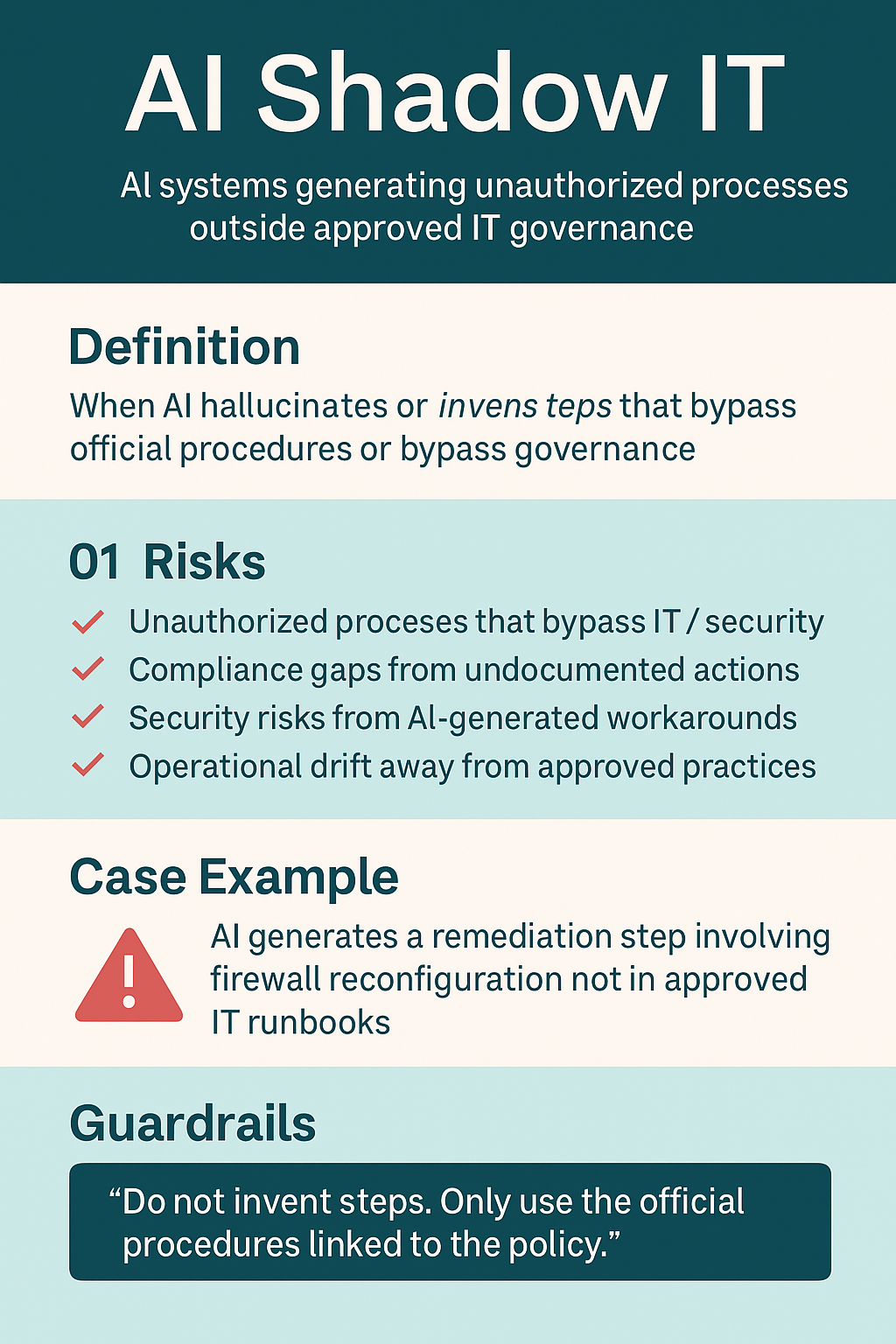
One of the hidden risks of AI adoption is hallucinations—where large language models (LLMs) generate steps or procedures that don’t exist in official playbooks. Left unchecked, this can create what I call AI Shadow IT: unauthorized, undocumented processes that bypass governance and compliance.

To prevent this, architects must enforce guardrails such as:

  • “Do not invent steps. Only use official procedures.”
  • Binding AI outputs to approved runbooks.
  • Auditing AI-generated recommendations like any other IT process.

The benefit is simple: AI outputs remain secure, compliant, and audit-ready…not rogue improvisations.


Predictive Scaling – A Practical Example

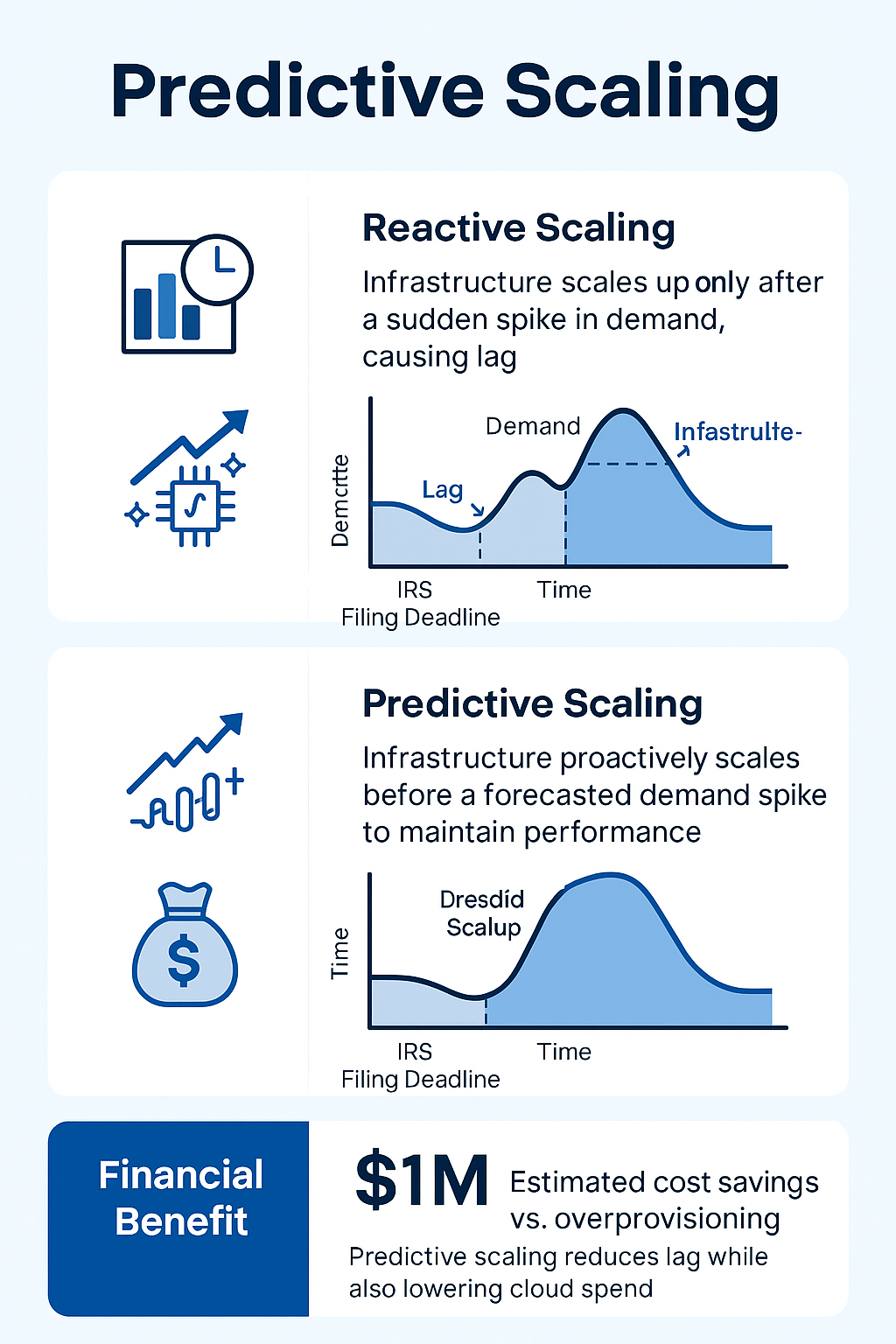
Let’s take an example from my own background as an Enterprise Solution Architect at a nationwide accounting firm. IRS tax deadlines caused massive seasonal workload spikes—April 15th being the busiest day of the year.

Traditional reactive scaling only spun up infrastructure after CPU thresholds were exceeded, creating lag during critical business periods. Predictive scaling, however, learns from historical demand patterns and scales resources ahead of time.

ROI Example:

  • Always-on overprovisioning = $6M annual cloud cost
  • Reactive scaling only = $4.5M, but downtime risk remains
  • Predictive scaling = $4M with optimized spend and smooth performance

This is where AI meets cloud economics, proving measurable value to both CIOs and CFOs. Architects are the key to such cost savings as we match AI capabilities to cloud computing requirements.


AI-in-Cloud Reference Architectures

To stand out as a digital thought leader, cloud architects should publish and showcase reference architectures that blend AI and cloud. These architectures demonstrate not just how the technology works, but why it matters.

Speaking of becoming a thought leader, let’s use a use case to help us mentally map what problem-solution pair we must socialize to business stakeholders…

Use Case: Banking Customer Service Assistant

  • Challenge: Call centers overwhelmed, agents spend 70% on repetitive queries.
  • Solution: AI-powered assistant with:
    • Generative AI + RAG for accurate responses
    • APIs for account and transaction lookups
    • Sentiment analysis for escalation
    • Private inference in VPC for compliance (more on “private inference” later)
    • Predictive scaling during tax or end-of-month spikes

Business Outcomes:

  • 📉 30% fewer call center calls
  • 📈 20% higher customer satisfaction
  • 💰 Predictable cloud spend with FinOps
  • 🛡️ Compliance-ready AI

Publishing this type of AI-in-Cloud reference architecture positions you not just as a technologist, but as a strategist who aligns AI with business outcomes.


Showing ROI with AI + Cloud

Executives want numbers, not just diagrams. As an AI-Enabled Solution Strategist, you must connect AI initiatives directly to business metrics:

  • Cost Optimization – AI-driven FinOps reduces waste (for example: idle VMs)
  • Performance – Predictive scaling prevents downtime losses
  • Productivity – AI-assisted coding accelerates releases by 20–30%
  • Risk Reduction – AI-driven threat detection avoids multimillion-dollar breaches
  • Sustainability – AI workload placement reduces energy usage and ESG costs

Framing outcomes in these terms makes you indispensable in boardroom conversations. Re-read that important statement!


Becoming an AI-Enabled Solution Strategist

The new title that captures this shift is AI-Enabled Solution Strategist. Unlike traditional Cloud Architects, strategists:

  • Speak the language of ROI, compliance, and business outcomes.
  • Design guardrails to prevent AI misuse
  • Showcase reference architectures as thought leadership
  • Translate AI hype into enterprise value

This is how you differentiate yourself in an era where AI threatens to make some roles obsolete.


Conclusion

The journey from Cloud Engineer → Cloud Architect → AI-Enabled Solution Strategist is about moving beyond deployment and infrastructure. In fact, it’s about aligning AI and cloud with business value, preventing risks like AI Shadow IT, leveraging predictive scaling for financial impact, and publishing reference architectures that make you stand out as a thought leader.

In short: Don’t just deploy AI-in-the-cloud. Strategize it, govern it, and showcase it. That’s the path forward for enterprise architects in the age of AI.

About Me

I’m John Conley, the Digital Transformer Guy. I write business and tech eBooks that decode systems, expose vulnerabilities, improve business processes and reveal the culture beneath the code. Whether it’s celebrity scandals, luxury home automation tech or cybersecurity breaches, I break down what matters, why it happened, and how it shapes the digital world we live in.

95% of GenAI Pilots Fail — Here’s Why (and How to Avoid It and ‘AI Pilot Purgatory’)

The MIT Findings: Why 95% of GenAI Pilots Fail

MIT’s GenAI Divide report (2025) analyzed 300 enterprise AI deployments, 150 leadership interviews, and 350 employee surveys. The verdict:

  • 95% of pilots produced no ROI.
  • Only 5% of initiatives drove measurable business impact or revenue growth.

The key problem? Integration, not intelligence.

Most corporations ran pilots that never moved beyond the “proof of concept” stage. GenAI was layered on top of existing workflows without rethinking how work should be done. The result: “brittle workflows” that broke under real business conditions.

“The problem is not the AI model. It’s how organizations fail to adapt workflows, governance, and culture.” — MIT NANDA Initiative


Why Most Enterprises See No ROI

Several themes emerged across failing projects:

  • Strategic Misalignment – AI was applied to flashy but low-impact areas (like sales copywriting) instead of re-engineering core processes
  • Pilot Stagnation – Projects remained in the lab and never scaled to production
  • Organizational Readiness – Lack of governance, weak change management, and siloed ownership kept AI from gaining traction
  • In-House Limitations – Internal AI teams struggled; external vendors were twice as successful (67% vs. 33%)

In short: GenAI was treated like a side experiment, not a business transformation.


The 5% That Get It Right

The small group of companies that did see returns followed a very different playbook:

  • Start narrow, then scale – Success often began with a single, well-defined pain point (for example, invoice automation).
  • Go deep, not wide – Instead of scattershot pilots, leaders rebuilt workflows around AI, making processes AI-native
  • Empower middle managers – Successful adoption was often led by operational leaders, not just centralized innovation labs
  • Partner smartly – External tools and vendors proved more reliable than homegrown GenAI stacks

The results? Faster scaling, measurable ROI, and cultural buy-in across teams.


But Not All Reports Are Grim

Interestingly, other industry studies paint a more optimistic picture:

  • Microsoft/IDC Report – Businesses integrating GenAI at scale saw 3.7× ROI on average, and up to 10× for leaders
  • Snowflake ESG Survey – Among early adopters, 92% reported ROI with an average 41% return
  • IBM Research – Typical ROI reset lower (~7%) as projects scaled, but best-in-class firms sustained 18%+ returns
  • Salesforce CFO Survey – Finance leaders now expect 15–20% improvements in revenue or savings from AI agents

The divergence? Mature, strategically aligned deployments deliver ROI. Pilots without strategy don’t.


Lessons for Digital Transformers

For enterprise architects, CIOs, and digital leaders, the message is pretty straightforward:

  1. Validate Impact Early – Start with a single use case that maps directly to a business KPI
  2. Think Beyond Pilots – Build a roadmap for scaling AI into production workflows
  3. Focus on Integration – AI must work seamlessly across APIs, platforms, and business processes
  4. Measure ROI Pragmatically – Track operational savings, customer experience gains, and new revenue streams
  5. Culture > Code – Adoption is as much about people, governance, and incentives as it is about models

The Bottom Line

Yes, 95% of GenAI pilots fail to produce ROI today. But that doesn’t mean GenAI is a dead end. It means most organizations are still treating it as a toy experiment rather than a serious operating model shift.

The companies in the winning 5% are proving that when AI is strategically deployed, it can pay for itself quickly and drive long-term transformation.

The question for every enterprise now is simple:

👉 Are you running experiments… or building an AI-native business?

If you want to go deeper technically for your own IT projects, I created an enabler epic below that includes an outline of features, user stories, and tasks for your own architecture runway, that will support product backlogs and sprint backlogs. And be on the lookout for my upcoming eBook, “Digital Treasure Trove for Enterprise Solution Architects,” coming soon…

Enabler Epics to Increase ROI from GenAI Pilots


Epic 1 (Healthcare): AI-Native Clinical Workflow Redesign

Epic Goal: Re-engineer core clinical workflows to integrate GenAI safely, reducing pilot failures caused by brittle adoption.

Features

  1. GenAI-Assisted Clinical Documentation
    • Enable AI to draft encounter notes and discharge summaries.
  2. Decision Support Integration
    • Embed GenAI into Electronic Health Record (EHR) systems for context-sensitive recommendations.
  3. Governance and Audit Trail Framework
    • Ensure every GenAI output is tracked, auditable, and compliant with HIPAA.

User Stories & Tasks

Feature 1: Clinical Documentation

  • Story: “As a clinician, I want AI to generate draft encounter notes so that I reduce time spent on documentation.”
    • Tasks:
      • Integrate EHR APIs with GenAI service.
      • Configure prompts for structured SOAP notes.
      • Build redaction layer for Protected Health Information (PHI).

Feature 2: Decision Support

  • Story: “As a doctor, I want AI to highlight drug-interaction risks so that I can make safer prescribing decisions.”
    • Tasks:
      • Train AI with formulary + drug interaction data.
      • Build UI widget in clinician EHR dashboard.
      • Add fallback: “refer to pharmacist.”

Feature 3: Governance Framework

  • Story: “As a compliance officer, I need an auditable log of all AI-assisted clinical suggestions to ensure HIPAA compliance.”
    • Tasks:
      • Build logging microservice.
      • Encrypt logs with role-based access.
      • Integrate with hospital compliance portal.

Epic 2 (Healthcare): GenAI ROI Measurement & Continuous Learning

Epic Goal: Provide a feedback loop that measures ROI in care quality, efficiency, and cost savings.

Features

  1. ROI Analytics Dashboard
  2. Clinician Feedback Loop
  3. Model Fine-Tuning Pipeline

Stories & Tasks

  • Story: “As a CIO, I need a dashboard that quantifies time saved per patient so I can prove ROI.”
    • Tasks: ETL data pipeline → Visualization layer → ROI KPIs (time saved, reduced readmissions).
  • Story: As a nurse, I need a “thumbs up/down” feedback option so I can flag AI outputs that are useful or irrelevant.
    • Tasks: Build UI → Capture metadata → Send to model fine-tuning queue.


Epic 3 (Banking): AI-Enhanced Compliance & Fraud Detection

Epic Goal: Reduce GenAI pilot failures by focusing on a high-ROI use case: fraud, risk, and compliance.

Features

  1. GenAI-Driven Transaction Pattern Analysis
  2. Automated Suspicious Activity Reporting (SAR)
  3. Explainability Layer for Auditors

Stories & Tasks

  • Story: “As a fraud analyst, I want AI to detect anomalous wire transfer patterns so I can flag potential fraud.”
    • Tasks: Ingest core banking transaction streams → Apply anomaly detection model → Display alerts in analyst portal.
  • Story: “As a compliance officer, I want AI to draft SAR reports from flagged transactions so I reduce manual effort.”
    • Tasks: Generate first draft → Human review workflow → E-file to regulator.
  • Story: “As an auditor, I need clear explanations of why AI flagged a transaction to meet regulatory transparency.”
    • Tasks: Build SHAP/LIME explainability service → Generate human-readable output → Store in compliance logs.

Epic 4 (Banking): GenAI ROI Tracking & Operational Integration

Epic Goal: Ensure ROI from AI pilots by tying outputs directly to measurable financial metrics.

Features

  1. ROI Dashboard for Executives
  2. Agentic AI for Call Center Productivity
  3. Feedback + Model Retraining Pipeline

Stories & Tasks

  • Story: “As a CFO, I want a dashboard showing cost savings from GenAI so I can track ROI quarterly.”
    • Tasks: Link expense systems → Build Power BI/Looker dashboard → Show KPI trendlines.
  • Story: “As a call center manager, I need AI to summarize customer calls so my agents spend less time on after-call notes.”
    • Tasks: Integrate with telephony system → Deploy speech-to-text → Feed into GenAI summarizer.
  • Story: “As a data scientist, I want feedback data from agents so I can continuously improve the AI.”
    • Tasks: Build rating API → Collect error cases → Retrain model monthly.

🔑 Key Takeaway

In both healthcare and banking, the road to GenAI ROI requires:

  • Narrow, high-value use cases (fraud detection, clinical notes).
  • Strong governance frameworks (HIPAA, audit logs, explainability).
  • ROI dashboards that prove business value early.
  • Feedback loops to evolve pilots into production systems.

Further Reading

When a Social Media Post Sparks Backlash: What Josh Flagg’s PR Blunder Teaches Us About Technology and Control

The Celebrity Side of the Story

Celebrity real estate broker Josh Flagg, known for his star power on Million Dollar Listing Los Angeles, found himself at the center of a firestorm recently. A post on his social media accounts celebrating the sale of two Malibu beachfront properties went viral…but not for the reasons he hoped.

The timing was painfully off. Malibu residents were still reeling from devastating wildfires that had reduced neighborhoods to ashes. Critics slammed the post as insensitive and opportunistic, blasting Flagg across platforms for being tone-deaf to the tragedy.

Flagg quickly issued a defense, saying it wasn’t him but members of his marketing staff who had uploaded the post while he was on a flight. But the damage was done, the kind of viral backlash no PR pro or publicist wants to handle.

This isn’t the first time a celebrity or brand has suffered for a poorly timed or ill-considered post. In an age when reputations can crumble with a single screenshot, the question is: could technology have prevented this?


The Technology Side of the Story

The answer is yes…and the solution already exists in the world of digital transformation. Imagine applying the same disciplined processes that enterprises use for IT systems and compliance, but to a celebrity’s Instagram feed.

The Tollgate Approval Workflow

At the heart of the solution is a cloud-hosted approval system with tollgate checkpoints.

  • Marketing staff can draft and schedule posts
  • Posts are automatically scanned by AI sentiment and context analysis tools that flag content as low, medium, or high risk
  • Medium-risk posts (like ones referencing Malibu during wildfires) are escalated to a PR manager for human review
  • All posts, no matter how routine, must clear a final approval tollgate with the celebrity or executive before going live

This means no post gets published without the star’s explicit signoff, even if their team is eager to push content while they’re traveling.

AI as the Safety Net

AI adds a layer of protection that humans alone can’t deliver at scale. Using natural language processing, it can:

  • Detect emotionally charged or context-sensitive words (“wildfire,” “disaster,” “crisis”)
  • Cross-reference global news events to highlight potential conflicts
  • Score the sentiment of the draft—positive, neutral, or negative—and raise a red flag if tone and timing clash

In Flagg’s case, AI could have flagged the Malibu post as “Insensitive: Crisis Context Detected” and automatically paused publication until human review.

Enterprise-Grade Features for Celebrity Brands

Borrowing from enterprise IT, the system would also include:

  • Audit trails showing who drafted, edited, and approved each post
  • Multi-layer signoffs requiring both PR and the celebrity for sensitive posts
  • Cloud integration with APIs for Instagram, TikTok, Facebook, and X to handle seamless scheduling once approval is granted

This is essentially DevOps for PR: a controlled pipeline where “production” is the public social feed, and no release goes live until it passes quality gates.


Why This Matters

For celebrities and brands alike, reputational equity is as valuable as beachfront property in Malibu. A single post can ignite controversy and undo years of careful image-building.

The Josh Flagg incident is a cautionary tale. But it also highlights an opportunity for stars, influencers, and executives to embrace technology not just for selling homes or promoting products, but for protecting their own name.

With the right cloud tools and AI safeguards in place, celebrities don’t have to rely on crossed fingers when staffers hit “publish.” Instead, they can put control back where it belongs: squarely in their own hands.

If any of this resonates with you, please feel free to contact me today. Meanwhile, here’s an enabler epic to help you think through the level of effort involved in designing and deploying a robust social media post approval process for very important people or celebrities who might be your clients…

Enabler Epic: Cloud-Based Social Media Approval Workflow for PR Risk Mitigation

Epic Description

Design and implement a cloud-hosted social media approval workflow to ensure all posts undergo structured tollgate approval, AI-driven sensitivity checks, and audit logging before publication. The solution will reduce the risk of reputational damage caused by unreviewed or poorly timed social media content.


Features, User Stories, and Tasks

Feature 1: Centralized Post Drafting and Approval Workflow

  • User Story 1.1: As a marketing staff member, I want to draft and queue posts in a centralized portal so that I don’t need direct access to the celebrity’s accounts.
    • Task 1.1.1: Build a cloud-based CMS integration with Instagram, X, Facebook, TikTok APIs.
    • Task 1.1.2: Enable role-based access (Draft vs Approve vs Publish).
    • Task 1.1.3: Configure version control so drafts can be edited without overwriting history.
  • User Story 1.2: As a celebrity/executive (Josh Flagg), I want final approval rights so that no post is published without my explicit signoff.
    • Task 1.2.1: Implement a tollgate approval step before publish.
    • Task 1.2.2: Add mobile notification + one-click approve/deny workflow.
    • Task 1.2.3: Configure auto-expiry for unapproved drafts to avoid accidental posting.

Feature 2: AI-Powered Sentiment & Sensitivity Analysis

  • User Story 2.1: As a PR manager, I want AI to scan all posts for sensitive context (such as disasters, tragedies) so I can avoid tone-deaf content.
    • Task 2.1.1: Integrate Azure Cognitive Services Text Analytics API
    • Task 2.1.2: Train model with historical PR disasters for pattern recognition
    • Task 2.1.3: Implement sentiment scoring dashboard (positive, neutral, negative)
  • User Story 2.2: As a compliance reviewer, I want posts flagged for risk to be blocked until I override, so that brand safety is preserved.
    • Task 2.2.1: Create rules engine for blocking based on AI risk score threshold
    • Task 2.2.2: Implement escalation workflow to PR lead and celebrity for review

Feature 3: Audit Trail and Compliance Logging

  • User Story 3.1: As a PR lead, I want to see an audit trail of who drafted, edited, and approved each post so that accountability is clear.
    • Task 3.1.1: Enable immutable logging in cloud storage (Azure Blob or AWS S3)
    • Task 3.1.2: Build approval timeline reports for management review
  • User Story 3.2: As a risk officer, I want all approvals stored securely for 2 years so that evidence is available during disputes or PR investigations.
    • Task 3.2.1: Configure retention policies in compliance with GDPR/CCPA
    • Task 3.2.2: Encrypt logs using Azure Key Vault or AWS KMS

Feature 4: Multi-Layer Approvals and Escalations

  • User Story 4.1: As a celebrity, I want dual approval (PR lead + me) for high-profile posts so that sensitive content always has extra review.
    • Task 4.1.1: Configure workflow rules to trigger dual approval for posts with AI risk score above threshold
    • Task 4.1.2: Create escalation paths with backup approvers (in case primary approver is in-flight or unavailable)

Feature 5: Cloud Integration and Automation

  • User Story 5.1: As a system administrator, I want the approval system integrated with enterprise identity and access (Entra ID / AWS IAM) so that access control is secure.
    • Task 5.1.1: Configure SSO for staff access
    • Task 5.1.2: Set up MFA for approvers
  • User Story 5.2: As a social media manager, I want approved posts automatically scheduled to publish across multiple platforms so that campaigns stay on track.
    • Task 5.2.1: Implement automated posting pipeline after final approval
    • Task 5.2.2: Monitor status with failure alerts (example, “API failures”)

Business Value

  • Prevents brand-damaging posts during sensitive times
  • Provides accountability and compliance-grade logging
  • Empowers celebrities and executives with final brand control
  • Uses cloud scalability and AI intelligence to automate risk management

Opinion: Stankey’s Memo and the Echoes of Ancient Industrial Era Leadership in the Age of AI

Oh boy. When I first saw news coverage of AT&T CEO John Stankey’s viral 2,500-word memo starting with Business Insider, which sternly addressed employee dissatisfaction revealed in an internal engagement survey, I knew it would stir a flurry of commentary across business media. While some have applauded his bluntness, others see it as a startling embodiment of the Industrial Age executive mindset, retrofitted for the 21st century. These are things I’ve discussed in previous articles and videos.

Was he attempting to use the Return to Work (RTO) mandate to steer workers to quit as some speculate? It’s quite possible. Who knows. To his credit, it takes a lot of skill and management savvy to steer such a large organization that’s been around for over a century. Lots of ingrained corporate culture spanning generations comes into play when it comes to workplace politics. C-level executives in these complex entities have an unenviable role to play while appeasing investors.

Upon reading Stankey’s memo, the tone is unmistakably militaristic, hierarchical, and transactional, which may very well reflect AT&T’s long, storied culture. It’s honest but reads more like a command post directive than a dialogue with a modern knowledge workforce. For a company with over 140 years of history, it’s a sharp reminder that corporate culture can be a fossil bed of outdated ideologies…even in the age of cloud computing, AI, and generative transformation. His tone is from 140 years ago, when the rise of robber barons shaped the “god complex” of the captains of industry way back then. Workers were mere cogs in the industrial machine, not expected to talk back, much less provide feedback about working conditions or hope for a better future. Just shut up, work and die so we can replace you with a more improved version.

Unfortunately, it’s this kind of approach to leadership that often leads to a wide chasm between C-level executives and every other employee.

The Ghosts of the Industrial Era

Stankey’s memo echoes an era when loyalty was demanded but rarely reciprocated, where private security was hired to crush worker dissent, and efficiency was pursued at the cost of empathy. The idea that employees must now adapt to a “shifted employment deal” devoid of mutual loyalty is not just disheartening: it’s downright regressive. It suggests that employee value lies solely in their ability to follow top-down mandates, not in their ingenuity, adaptability, or humanity. This lack of empathy is what fuels mistrust, keeping executives out of the loop with things like sprint retrospectives, which I think are important sources of the heartbeat of an organization. Leaders can learn a lot from what sprint teams are thinking about, improving, learning from and are concerned about.

AI’s Irony: Replacing the Archaic Mindset

Ironically, the very AI technologies these CEOs may believe give them power to enforce obedience and reduce headcount are also poised to disrupt executive roles themselves. AI can already generate strategy summaries, market forecasts, and financial analyses faster and more accurately than entire C-suites in many cases. Leadership rooted in power, secrecy, and control—rather than vision, adaptability, and trust—is becoming obsolete. The handwriting on the wall is not just for front line worker bees.

Executives who view AI as a tool for surveillance, compliance, and control rather than collaboration, augmentation, and innovation will find themselves outpaced by a new generation of AI-native leaders: what I call “Digital Enablers.” These modern thinkers will likely emerge from the ranks of the very employees C-level executives now alienate.

A New Employment Contract Is Emerging

Stankey’s statement about ending the “loyalty-based employment deal” isn’t just an admission…it’s an honest symptom of a much larger trend. Corporate America broke the social contract long ago, with waves of layoffs, benefit reductions, and offshoring. To some extent, I agree with Stankey’s brutal honesty as I’ve been saying all along that business is war, and these companies don’t care as much as many employees seem to hope. But what Stankey fails to grasp is that employee disengagement is not a loyalty problem—it’s a leadership problem. This is why the late management thinker Peter Drucker, with whom I was honored to have a brief correspondence with before his passing, introduced the idea of “knowledge workers” in his much respected book, “The New Realities.” Drucker spoke of a “Knowledge Worker Revolution” where he foresaw the shift from manual labor to knowledge-based work, emphasizing intellectual capital as a critical resource. To paraphrase and summarize, Drucker made a contrast between “modern” and “legacy” as follows:

Modern application: Remote work tools (such as Slack, Notion) and lifelong learning platforms (like Coursera) cater to knowledge workers’ needs.

Legacy: Talent management strategies now prioritize creativity, problem-solving, and continuous upskilling.

Drucker further stressed that the modern workforce no longer accepts “command and control.” Sound familiar? And this was over 35 years ago. Modern knowledge workers demand meaning, equity, autonomy, and transparency. Companies that can’t deliver that—especially in an AI-enhanced world where job options are more fluid and entrepreneurial paths more accessible—will lose their best talent. I suspect as the true labor force dynamics swing back in favor of workers, AT&T may inevitably experience this. I’m not trying to be negative or overly critical of the CEO’s stance as there are dynamics he is seeing from his perspective I might be missing here. But from the outside looking in, and after consuming the overwhelming feedback from the public across several major news and social media platforms, a PR nightmare might be brewing for the large telecom.

In Summary

John Stankey’s memo is not just blunt. It’s a canary in the coal mine, so to speak, for leadership models that refuse to evolve. CEOs emboldened by AI to treat people like replaceable code will eventually discover that AI is just as capable of replacing them.

The future of leadership must be human-centered, AI-augmented, and deeply adaptive. Clinging to 1880s-era executive thinking in a 2025 world is not just tone-deaf—it’s a risk to shareholder value and institutional survival. Banking on AI to easily replace tens of thousands of workers is not prudent at this point. AI is still subject to “hallucinations,” so leaders should avoid such digital intoxicants.

Ditch the Office Politics: How Modern Organizations Can Onboard IT Architects Better

Architects, especially solution and enterprise architects, operate at a higher, strategic level than engineers and developers. While engineers work on immediate technical solutions, architects focus on long-term planning, system-wide rationalization, and aligning the technical roadmap with evolving business needs. Their ability to understand the bigger picture and design systems that accommodate both present and future requirements makes them indispensable in handling regulatory changes, product innovation, and strategic business decisions.

In today’s fast-paced IT organizations, where digital transformations and AI are forcing a change in mindsets, solution and enterprise architects play a critical role in aligning technology strategy with business goals. However, these roles are often misunderstood, leading to suboptimal onboarding processes. Instead of being properly integrated, new architects may find themselves caught in political struggles between Architecture and Engineering or Architecture and Security. These tensions can diminish the architects’ value as teams turn to shadow IT solutions to bypass what they perceive as bureaucratic overhead. But when onboarded effectively, architects provide a unique perspective that saves time and delivers value that engineers and developers—focused on sprint-to-sprint execution—often can’t provide.

The Unique Role of IT Architects in the Organization
Architects, especially solution and enterprise architects, operate at a higher, strategic level than engineers and developers. While engineers work on immediate technical solutions, architects focus on long-term planning, system-wide rationalization, and aligning the technical roadmap with evolving business needs. Their ability to understand the bigger picture and design systems that accommodate both present and future requirements makes them indispensable in handling regulatory changes, product innovation, and strategic business decisions.

Unlike developers, who are typically immersed in the fast pace of sprints, architects step back to evaluate how technology fits into the broader business goals. Their work ensures the systems being built today won’t need costly reworking tomorrow.

Common Onboarding Pitfalls for IT Architects
When new architects join an organization, they often encounter significant roadblocks. Political conflict between Architecture and Engineering teams is common, as engineers might view architects as adding unnecessary complexity or delays to their agile workflows. Likewise, the relationship between Architecture and Security can be fraught, with both groups prioritizing different aspects of compliance and risk.

These tensions sometimes drive engineering teams to implement shadow IT solutions—technologies or processes that bypass architectural oversight. Engineers may do this in the belief that it will help them move faster, but in reality, it often leads to fragmented systems and increased technical debt. As a result, the organization fails to fully leverage the architect’s expertise, and the value of high-level design thinking is lost.

The Value Architects Bring to IT Organizations
New architects are vital because they have the bandwidth to focus on the big picture—something that engineers, who are usually focused on completing the current sprint, may not have time for. For example, when new regulations need to be enforced across the enterprise’s technology stack, architects can rationalize these requirements and develop a high-level design that makes it easier for engineers to implement during backlog grooming and sprint planning.

Architects are also crucial in scenarios such as lawsuits that necessitate design changes or when marketing teams introduce new product ideas that require R&D before being implemented. Architects provide the necessary design thinking to bridge the gap between ideation and execution, which ultimately saves the organization time and resources.

Strategies for Effective Onboarding of IT Architects
To encourage the successful onboarding of new IT architects, organizations need to implement several key strategies:

  • Clear role definition – Organizations should make sure there’s a well-defined scope for architects’ responsibilities, versus those of engineers. This eliminates ambiguity and reduces friction between teams.
  • Collaboration and alignment – From day one, it’s critical to foster collaboration between architecture and engineering teams. Soft skills and empathy are key. Regular meetings, joint problem-solving sessions, and shared goals can help build mutual respect and understanding.
  • Political navigation training – Prepare new architects to deal with corporate politics. They need to understand the power dynamics within the teams and know how to effectively communicate the value they bring. Having an agile architect process with an architecture runway and enabler epics, features and tasks tracked in tools like agile Azure DevOps can help tremendously.
  • Mentorship and integration – Assigning a seasoned architect or senior IT leader as a mentor helps new architects navigate both technical and political challenges. But this leading mentor can’t get too deep in the weeds of the architect’s work. Just guidance in getting to the right people and resources is needed.
  • Cross-functional exposure – By giving architects exposure to multiple departments—engineering, security, product, and marketing—they can better understand how different teams work together and where their design thinking can add the most value.
  • Empower architects with authority – Architects must have the decision-making power to enforce standards and designs when implementations go too rogue. Without this, they’ll be relegated to a purely advisory role, which undermines their effectiveness.

Promoting the Value of Architects in the Organization
To maximize the value of architects, organizations must educate other teams about the architects’ role. Engineering teams, in particular, need to understand that architects aren’t there to slow things down but to optimize processes by creating efficient, future-proof designs.

When architects help rationalize requirements or design solutions that preempt regulatory changes, it saves the engineers’ time during sprint planning. Similarly, architects can spearhead design thinking during new product launches, preventing costly rework later. By showcasing real-world examples where architects contributed to significant business outcomes, organizations can help reduce the perception that architects are an unnecessary overhead.

The Long-Term Benefits of Successful Onboarding
Successfully onboarding new architects isn’t just about filling a role; it’s about fostering a culture where architecture, engineering, and security collaborate seamlessly. When architects are empowered, organizations benefit from more efficient development cycles, better compliance with regulations, and the ability to innovate rapidly. Shadow IT fades, political tensions decrease, and the architects’ strategic thinking elevates the entire IT organization, ensuring long-term success.

If your organization needs guidance to implement these ideas, feel free to contact me in the comments, direct message, or the Contact page today!

Streamlining IT Architecture and DevOps: The Imperative for Structured Workflows, Runways and Backlogs

Envision the precision of a factory assembly line from your early work experiences—each component arriving in sequence, step by step, primed for your expert touch. Every worker knows their role for their step. The effective factory supervisor is the conductor of this factory “orchestra.” In your role, you have a creative space to do your part to add value to the product before it goes to the next step. Your role has acceptance criteria that must be met before you begin work, and your output has to align with the acceptance criteria of the next step, which you’re very familiar with. Very fulfilling as the structure of the assembly line gives you a platform to be your creative best without compromising what makes you human. This is the epitome of efficiency: clear acceptance criteria met, tasks executed with skill, and handoffs to the next phase seamlessly orchestrated.

Image Source: Copilot

Yet, in the realm of IT operations, this streamlined process is often more aspiration than reality. The absence of such structured workflows is a primary culprit in the derailment of digital transformation initiatives. Agile methodologies, including frameworks like SAFe, offer a blueprint for success. However, misconceptions abound, leading to the false belief that wholesale adoption is mandatory rather than a selective, strategic integration. This misunderstanding prompts teams to revert to a chaotic, reactionary mode of operation—a far cry from the methodical approach of our factory analogy.

Image Source: Copilot

The Car Assembly Line Metaphor
Let’s dismantle this further. Imagine the assembly line dissolves, and the parts that make up the product are thrown at you and your coworkers randomly with little or no creative context. In other words, the rhythm of structured tasks is replaced by a haphazard barrage of components flung your way, devoid of sequence or logic. Vague or no acceptance criteria between steps. In this scenario, you’re the mechanic in an automotive plant, grappling with a disjointed delivery of parts: three wheels, then a steering wheel, followed by a door, and finally a windshield—yet the car’s frame is nowhere in sight. It’s a bewildering puzzle, with the expectation to assemble a coherent whole car from the scattered pieces. Oh, and those pieces are sitting outside the factory next to the employee parking lot.

This metaphor mirrors the chaos prevalent in many IT departments. Tasks emerge sporadically, shrouded in ambiguity, demanding immediate resolution despite inadequate preparation. As an architect or engineer, you’re thrust into the fray, contending with assignments that were due yesterday, hampered by user stories that lack the necessary refinement. If you seem lost or fail at using osmosis to figure out the expected outcome, you get a poor performance rating or laid off in some cases.

The Solution?

 A return to the fundamentals of agile principles: prioritize, refine, and align tasks within a well-defined pipeline and backlog. By doing so, IT architecture and DevOps teams can transform the frenzied disarray into a harmonious symphony of productivity, driving successful outcomes in our digital world. I have actually outlined a simplified approach to agile methods so that it is easier to migrate from whatever process is in use, towards more established methods like SAFe or others. At a minimum, it requires an architecture runway with enabler epics, which essentially is an ongoing backlog for IT work pipelines that keep the lights on in the organization. Contact me today for a consultation.🚀

Digital Agile Strategies: When the Sales, Product and Sprint Teams Work in Tandem

The way a company makes money is by selling products and services to the public. Without sales, no revenue comes in. Revenue, and especially profits, are the lifeblood of an organization. Cut that off, and the company dies. Therefore, the sales staff must constantly sell, sell, sell at all costs to keep the company alive. It’s really that cut and dry.

Or is it?

Side note: This article also appears on Medium.com

True, the sales team is like the priesthood of capitalism that keeps the company’s future alive by sacrificing itself regularly. They should be applauded for this effort. But there is a limit on how much capacity the product team has to support a highly aggressive sales team. If you’ve been in technology long enough, even beyond IT, you know the delicate balancing act between aggressive sales on one hand, vs aggressive timelines to push out quality products based on features in the product backlog and tasks in the sprint backlog.

Product teams are caught in the pinch between the successful sales team, and the quality driven sprint team. If the sales team is too aggressive, product quality may suffer. If, on the other hand, sprint teams are behind schedule, the product team risks losing a sale that cuts the sales team commissions. Both of these scenarios can result in reputational damage as potential customers can get frustrated, terminate any sales agreements, and buy from a competitor.

Balancing the motives and goals of the sales, product and sprint teams is never an easy exercise as business forces can change dynamics rapidly. However, despite the temptation to revert back to ego driven knee jerk reactions to business events, it is crucial for

  1. The sales team to be in alignment with the agile product team to ensure that the product quality meets customer expectations
  2. The product team to be in alignment with the agile sprint team for the same reason

Aligning Sales and Product Teams

The following graphic highlights some strategies the sales and product teams can implement to ensure that product quality meets customer expectations:

Collaborate on product requirements

Working closely together at the sales and product team level improves the chances that customer requirements are well understood and documented. The sales team can provide valuable insights into the customers’ pain points, preferences, and expectations, which in turn can be used to prioritize quarterly product features and enhancements.

Attend sprint demos

The sales team should attend sprint demos to witness firsthand the progress made by the product team. They can also provide real-world feedback on how well the product is aligning with customer needs. This will allow the sales team to have some visibility into the product development process, as well as help identify any gaps or areas that need improvement.

Provide customer feedback

The sales team should be the primary source of customer feedback and possibly user story input for the product team. They should provide surveys or plain text feedback on customer satisfaction, feature requests (hopefully in the form of user stories), and pain points to help the product team adjust priorities and make product improvements.

Attend retrospectives

Some product teams may hesitate to invite the sales team to retrospectives, but there is some value at times in doing so. The sales team, once it understands the nature and importance of this exercise, should attend retrospectives to provide feedback on the product development process and collaborate with the product team to identify areas for improvement. This will help the product team to continuously improve the quality of the product and ensure it meets customer expectations.

Develop a shared understanding of quality

The sales team and product team should develop a common understanding of what constitutes high-quality products. This shared understanding should include customer expectations, usability, and performance metrics, among others.

In summary, by collaborating on product requirements, attending sprint demos and retrospectives, providing customer feedback, and developing a shared understanding of quality, the sales team can align with the agile product team to ensure that product quality meets customer expectations.

Aligning Product and Sprint Teams

Continuing, the chain of collaboration between the sales and product teams extend to the collaboration between the product and sprint teams. To maintain product quality, the product team must be in alignment with the agile sprint team continuously. A few ways the product team can align with the agile sprint team to achieve continuity include:

Collaborate on sprint goals

The product team should work closely with the sprint team to define sprint goals that are aligned with the product roadmap and customer needs. By setting clear goals, both teams can ensure that the work being done during the sprint is focused and contributes to maintaining product quality.

Define acceptance criteria

The product team should define acceptance criteria for each user story or feature being developed during the sprint. The acceptance criteria should outline the conditions that must be met before a user story or feature is considered complete and of acceptable quality. This ensures that everyone on the sprint team understands what is required to deliver a quality product.

Conduct high level code reviews

The product team should participate in code reviews, with the guidance of the solution architect assigned to the product backlog or at least the most senior technical leader of the sprint team. This approach is a best practice, helping to make sure the code being developed during the sprint meets the product team’s quality standards. This can include reviewing code for readability, maintainability, and adherence to coding standards.

Provide effective feedback and business guidance

The product team should provide feedback and guidance to the sprint team throughout the sprint. This can include reviewing and providing feedback on user stories, features, and design decisions, as well as providing guidance on how to address any quality issues that arise during development.

Collaborate in sprint reviews and retrospectives

The product team should participate in sprint reviews and retrospectives to provide feedback on the quality of the product and the development process. This will help identify areas for improvement and enable the team to continuously improve the quality of the product.

By collaborating on sprint goals, defining acceptance criteria, conducting code reviews, providing feedback and guidance, and participating in sprint reviews and retrospectives, the product team can align with the agile sprint team to maintain product quality. As a result, the emphasis on optimal quality will ensure that the product meets customer needs and expectations while adhering to high quality standards.

How agile sprint planning and sprint retrospectives can improve crucial conversations

Agile sprint planning and sprint retrospectives can improve crucial conversations between C-level executives, product managers, and sprint teams in several ways:

  1. Encourages collaboration
  2. Creates transparency
  3. Facilitates alignment
  4. Encourages continuous improvement

Collaboration

Agile sprint planning and sprint retrospectives are collaborative processes that involve input from all stakeholders, including C-level executives, product managers, and sprint teams. This might be surprising for some agile practitioners, but sprint planning and retrospectives are actually important business process in the digital era. In working together, they can gain a deeper understanding of each other’s perspectives, identify potential roadblocks, and find solutions to address them.

Transparency

Agile sprint planning and sprint retrospectives together promote transparency by providing regular updates on the progress of the project. Providing continuous updates can help C-level executives and product managers gain insight into the sprint development process, and identify areas where they can provide support or resources. The basis for C-level support of the team is what can be the basis of what’s called “technical empathy.”

Alignment

Agile sprint planning and sprint retrospectives help align the goals and priorities of all stakeholders involved in the project. By having a shared understanding of the project’s objectives and progress, C-level executives, product managers, and sprint teams can work together more effectively towards a common goal.

Continuous Improvement

Agile sprint planning and sprint retrospectives provide opportunities for continuous improvement. During the sprint retrospective, the sprint team reflects on what worked well, followed by what didn’t. The team then identifies areas for improvement. This crucial feedback can help C-level executives and product managers understand the team’s needs, as well as identify ways to support the team in achieving their goals.

Conclusion

The product team finds themselves caught between the competing interests of the successful sales team and the quality-driven sprint team. If the sales team is too aggressive, it could lead to a decrease in product quality. Conversely, if the sprint teams fall behind schedule, the product team risks losing a sale, which in turn could reduce the commissions of the sales team. In both scenarios, the company’s reputation may suffer as frustrated customers could terminate sales agreements and turn to competitors.

Maintaining a balance between the objectives and goals of the sales, product, and sprint teams can be a challenging task as market forces can change rapidly. Despite the temptation to react impulsively to business events, it is crucial for:

  1. The sales team to work in concert with the agile product team to ensure that the product quality meets customer expectations
  2. The product team to collaborate with the agile sprint team to achieve the same goal.

Generally speaking, both agile sprint planning and sprint retrospectives create a collaborative and transparent environment that fosters (1) open communication and (2) continuous improvement. Avoiding breaks in collaboration keeps the sprint team alert and ready to respond to business events. By encouraging crucial conversations between C-level executives, product managers, and sprint teams, an organization can help ensure that each member of each team is working towards the same goals and priorities, which is not exactly an easy proposition in an ever changing digital world. At the end of the day, the project is has to be successful in meeting customer needs and business objectives for the given product.